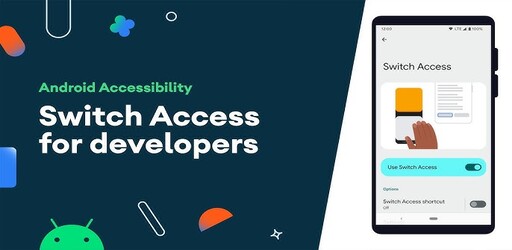
Switch Access APK 1.16.1.798952610
Switch Access APK enables hands-free device control, empowering flexible and independent use for everyone. Experience true freedom now!
Switch Access APK enables hands-free device control, empowering flexible and independent use for everyone. Experience true freedom now!
| Name | Switch Access |
| Version | 1.16.1.798952610 |
| Category | Tools |
| Developer | Google LLC |
| Compatible with | Android 8.0+ |
| Size | 11 MB |
| Last Updated | 24/12/2025 |
| Google Play Link |

|
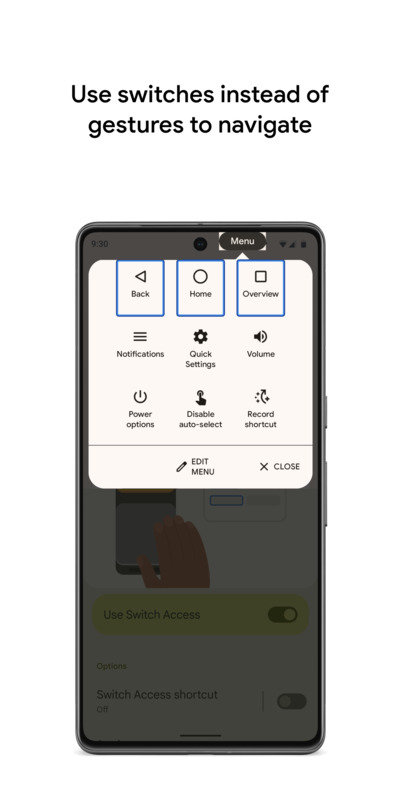
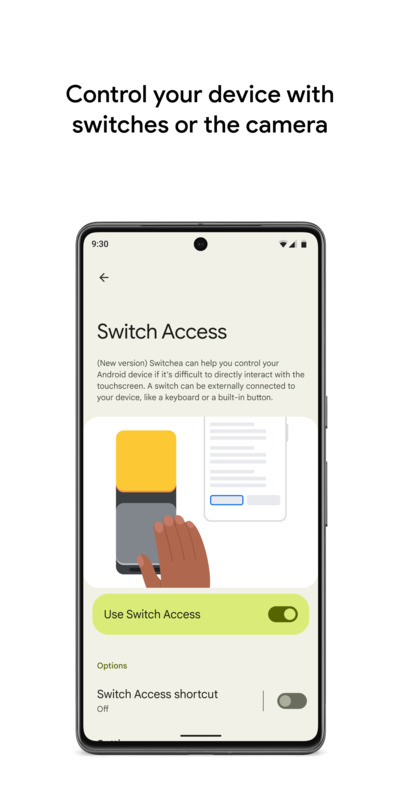
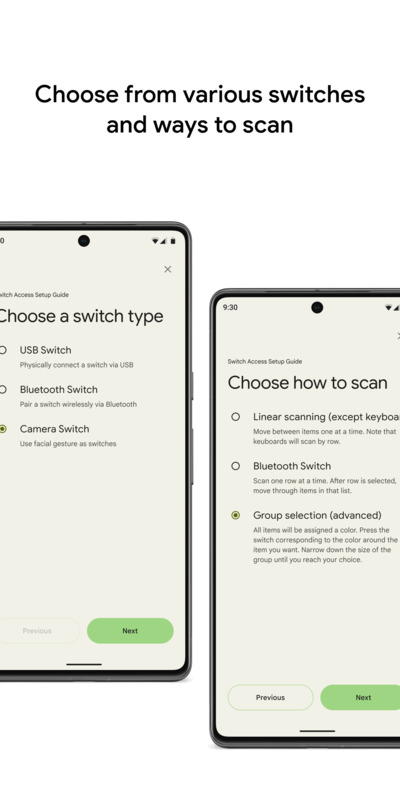
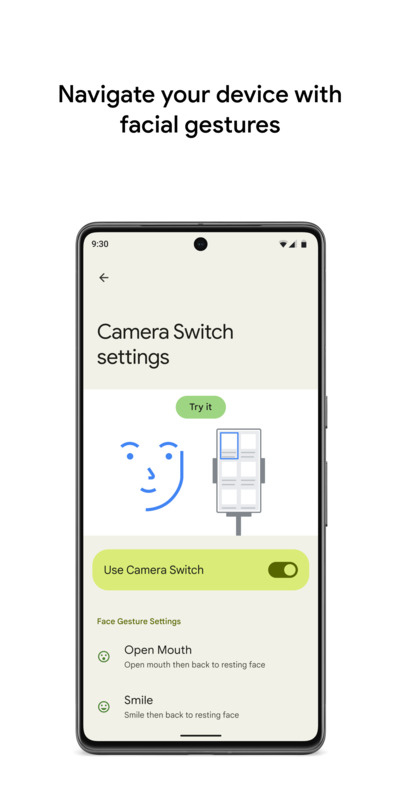
"Switch Access apk" is an Android accessibility application that empowers users with disabilities to control their devices without touching the screen. This app is incredibly helpful for individuals who face challenges using touchscreens, such as those with limited mobility. By scanning on-screen elements, "Switch Access apk" lets users select their desired items using pre-configured switches. This system makes device operation more flexible and accessible, especially for those unable to interact directly with their hands. In addition, "Switch Access apk" supports various types of switches - including physical switches and camera-based switches - allowing customization based on personal ability.
This app is designed to assist users with mobility difficulties, enabling them to control their Android devices more easily and flexibly. It promotes greater independence, reducing reliance on traditional touchscreens. With "Switch Access apk," users interact with their phones or tablets using switches, delivering an access solution tailored to individual capabilities.
"Switch Access apk" supports two main types of switches: physical switches and camera-based switches. Physical switches include USB or Bluetooth devices like external buttons, keyboards, or even built-in device buttons such as volume controls. Camera-based switches use the front camera to recognize facial gestures, such as opening the mouth, smiling, raising eyebrows, or looking left, right, or upwards. Users can fine-tune sensitivity and activation time for each gesture, adapting the controls to their specific needs and ensuring every action is accurate.
This app is ideal for anyone seeking hands-free device control or experiencing difficulty using touchscreens. Individuals with mobility impairments, those unable to use their hands, or anyone interested in new ways to interact with their devices will benefit from "Switch Access apk." It's also a great choice for users curious about exploring alternative technology solutions.
The app scans the screen and allows users to select items using their configured switches. When buttons, icons, lists, or text appear on the display, users simply use their switch to confirm their selections. This method simplifies device operation without needing direct touch, making it especially suitable for users with motor difficulties.
"Switch Access apk" offers multiple screen scanning modes. Sequential scanning moves through each on-screen element, which is perfect for straightforward interfaces. Row–column scanning accelerates selection by scanning through rows and then picking items within the chosen row. Point scanning uses intersecting horizontal and vertical lines to pinpoint specific locations. Lastly, color group selection allows users to switch based on the color of their target item, narrowing the selection group by group until the desired item is chosen.
The customizable action and guidance menu provides commands such as scroll, select, copy, and paste. When a user selects an item, a context menu appears, offering actions appropriate to that content. Additionally, a system menu appears at the top of the screen, granting quick access to notifications, the home screen, volume settings, and device controls - all without touching the display. This enhances the convenience and utility of switch-based control.
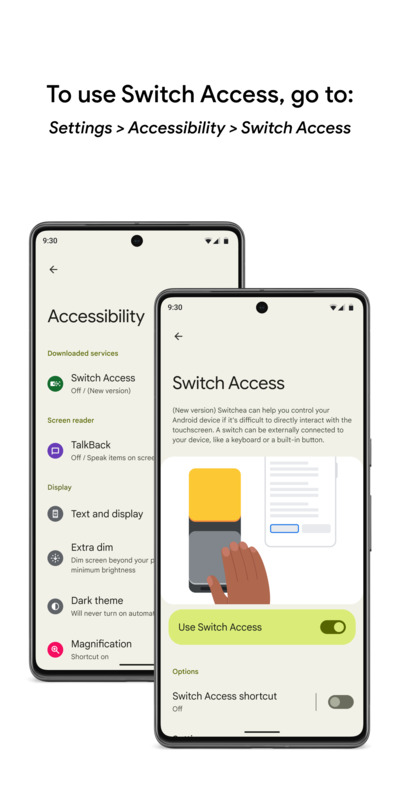
To enable "Switch Access apk," go to your Android device's Settings, select Accessibility, then activate Switch Access. Once enabled, users can configure their preferred switch types and scanning modes. The setup process is straightforward, allowing everyone to customize settings to match their device usage habits.
"Switch Access apk" lets users record complex touch gestures and assign them to specific switches. You can save gestures like swipe, scroll, pinch to zoom, double tap, or even a sequence of gestures. These can be triggered directly or via the action menu, greatly improving convenience. For example, you can record two left swipes to turn two pages in an eBook, then perform that sequence with a single press of your assigned switch.
The app requires special permissions to fully support accessibility features. As an accessibility service, it has rights to observe your actions, access on-screen content, and monitor text input to ensure functionality. These permissions are essential for operation, and the app is designed with a strong focus on user privacy to ensure a secure experience.
Users can adjust gesture sensitivity and activation time to suit their personal abilities. This customization makes the app easier to use and enhances the efficiency of device control. Settings can be changed at any time if you encounter difficulties, ensuring a consistently smooth experience.
Integrated with the Android system, "Switch Access apk" significantly improves accessibility and independence. It allows users to navigate even complex features without continuous touch interaction. This not only delivers convenience but also empowers users with mobility disabilities to confidently engage with technology.
"Switch Access apk" has received strong positive feedback from users seeking accessible solutions. Many have reported significant improvements in device control, finding technology far more accessible and less intimidating. This user satisfaction is a driving force for ongoing development, ensuring the app continues to meet actual user needs.
"Switch Access Apk" gives users an effective way to operate their Android devices without relying on touchscreens. The app delivers freedom and flexibility in using technology while supporting users with mobility impairments to enhance their device experience. You can install the app to try out its features and evaluate the benefits it brings.
Switch Access APK is an accessibility app for Android that lets users control their device without touching the screen. It’s suitable for people with mobility impairments, using physical switches or facial gestures.
Switch Access is a built-in Android feature. Just go to Settings > Accessibility > Switch Access to activate it; there’s no need to download the APK from external sources.
Switch Access supports physical switches (USB, Bluetooth, volume buttons) and camera-based facial gesture switches like opening your mouth, smiling, raising eyebrows, or looking left/right/up.
Switch Access provides four scanning modes: item-by-item scanning, row-column scanning, point scanning for precise control, and color group selection to narrow choices.
Switch Access is ideal for users with mobility disabilities, those who find touchscreens difficult, or need hands-free control. It offers personalized, flexible options for greater independence.
Download Switch Access for free: Important Note When installing an APK or Mod file, Google Play may display a warning through Play Protect, indicating that the file may be harmful. If you encounter this message, you can proceed by selecting "Install anyway (unsafe)".
Telegram Join the Community